ORBIFIELD / SITE REPORTS
Site report software that starts with the field record
Turn the notes and pictures from a site visit into a clear client handover. OrbiField brings job details, asset results and selected evidence into reports you can review before sharing.
For businesses and sole traders working on site around the world. English-language software for phone and desktop, with regional address, date and time-zone settings. Public prices are in AUD.
Build the report as you record the work
Capture findings beside the relevant job or asset instead of writing a report from memory later. A location, result and photo comment give the client context for what was found. Keep general site pictures with the job and assign asset pictures where a more specific record is needed.
Choose what the client receives
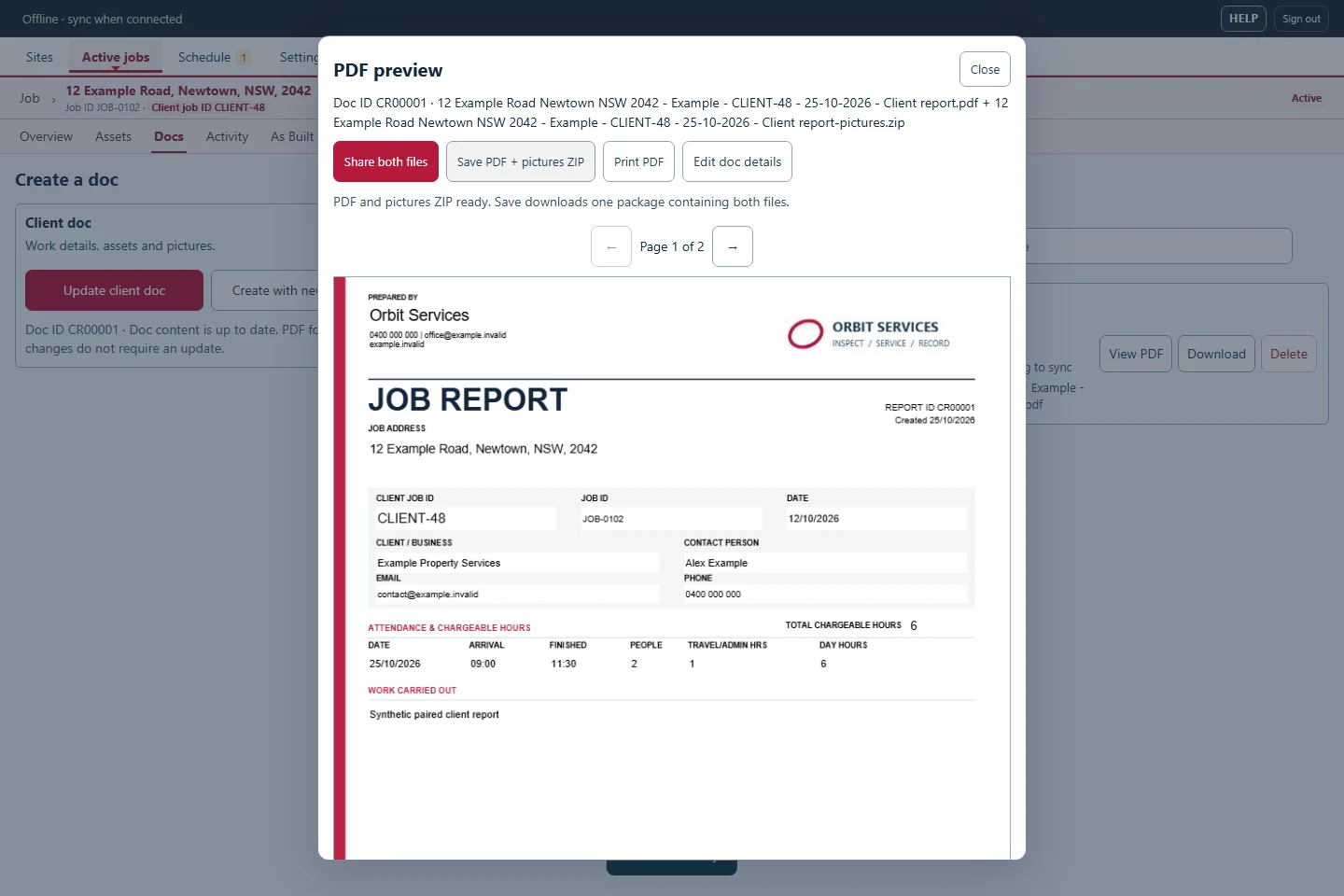
Use the job’s Docs controls to choose the records, results and order for the document. Add your business identity and logo for a branded report, then preview the PDF before handing it over. Selecting the content lets you make a useful report for the visit rather than sending every stored picture.
Give photos and drawings a useful context
Include labelled pictures and references that help a reader connect an image to the right asset and location. Linked As Built drawing marks can show where a recorded item sits on a plan. Export drawing documents or picture packages when the handover needs supporting material as well as a PDF report.
Keep a record for the next visit
Save documents in the job’s document history and find previous documents through the workspace’s Docs history. Site and job records provide context for return visits, maintenance work and re-tests. Reports describe the information you record; they do not independently certify regulatory compliance or replace a qualified inspection.