ORBIFIELD / ASSET RECORDS
Field asset management with pictures, locations and results
Give each item on a site a clear record. OrbiField keeps asset references, location details, notes, results and supporting pictures connected to the job where the work happened.
For businesses and sole traders working on site around the world. English-language software for phone and desktop, with regional address, date and time-zone settings. Public prices are in AUD.
Capture an individual finding
Create an asset record when an item needs its own reference, description, location or result. Add photos and comments while you are beside the item. Whether you are recording equipment, a maintenance issue or an inspection finding, the record keeps the evidence with the work.
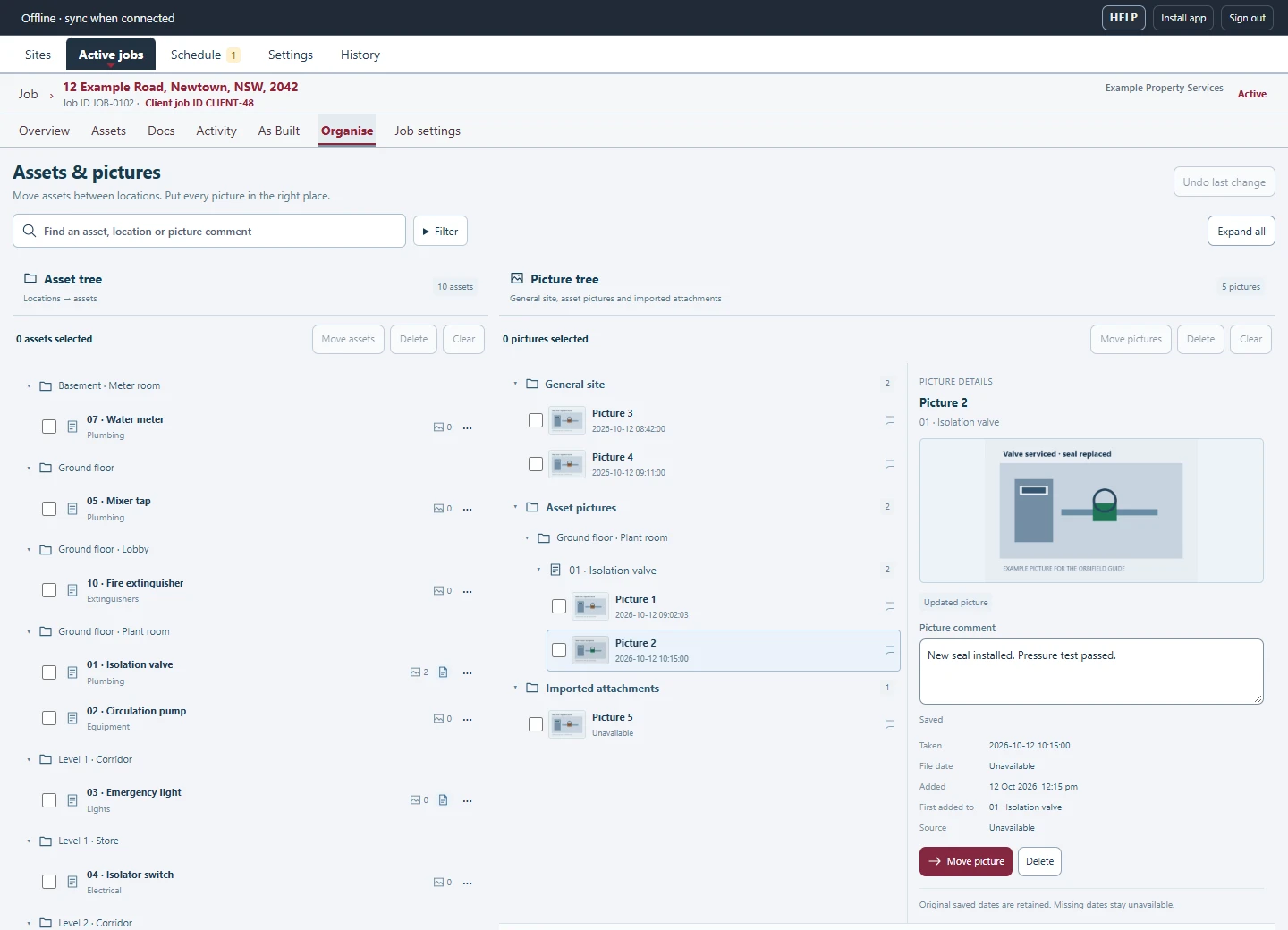
Organise pictures without losing their context
Start with a general site or job photo when you need to capture quickly. Later, assign it to an asset or move it between asset records within the job. The picture comment and available details stay attached, helping you organise the evidence without rewriting the same notes.
Connect the asset to the drawing
Import a site drawing and place a linked mark for the asset. This connects the asset’s reference and location with a visual position on the plan. Open the record to review its notes and pictures, or use the drawing to understand where several findings are located.
Use the asset record in the handover
Choose asset records and results for a client report, including the relevant photos and drawing context. Site and job history keeps previous work available for follow-up visits. OrbiField is a field record system; it does not promise live equipment telemetry, stock purchasing or financial depreciation accounting.