ORBIFIELD / AS BUILT DRAWINGS
As Built drawing markups linked to your field records
Show where an item or finding belongs on a site plan. OrbiField connects imported drawings with asset records, so the position on the plan and the evidence behind it can be reviewed together.
For businesses and sole traders working on site around the world. English-language software for phone and desktop, with regional address, date and time-zone settings. Public prices are in AUD.
Start with an existing site drawing
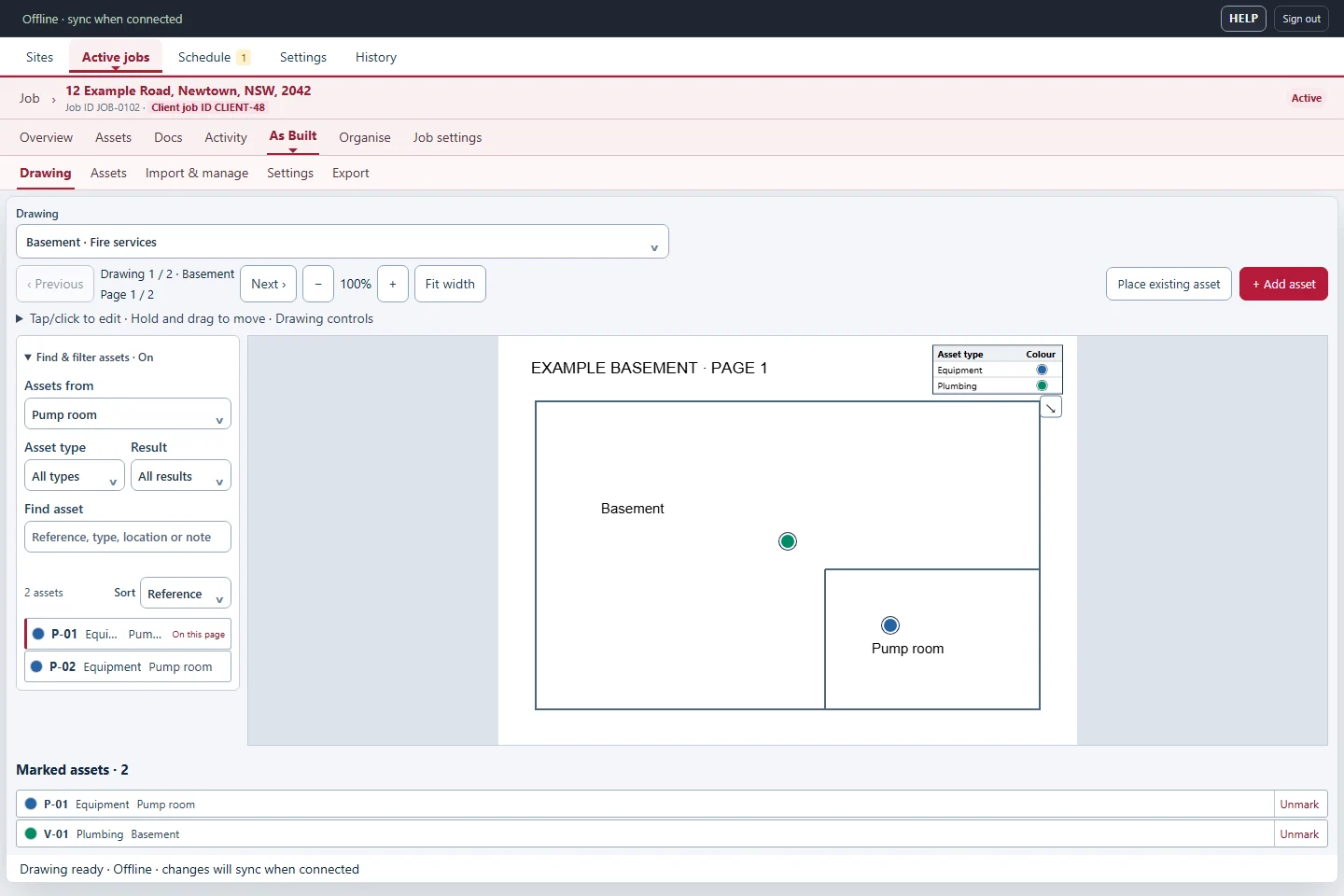
Import a supported PDF, JPG or PNG drawing into the job’s As Built workspace. Use the plan as the visual context for the work you are recording. Drawing names and locations help you choose the right plan when the site has several buildings, floors or areas.
Place marks that lead back to the record
Link a drawing mark to an asset record and position it where the item is located. The asset holds its reference, location, result, notes and photos. A linked mark gives that information a place on the plan, helping a colleague or client understand where to look.
Record visual issues and notes
For an issue you want to describe on a drawing, create or open the relevant job asset, add the finding and its supporting pictures, then place its linked mark. This keeps the explanation and evidence together as the record changes. It also avoids leaving an important note detached from the reportable item.
Prepare a useful drawing handover
Review marks and linked records before exporting As Built drawing documents. Use the drawings alongside the site report and selected photos to give the recipient both a location and an explanation. OrbiField annotates imported plans; it is not a CAD drafting system and does not verify survey dimensions or certify design compliance.